What is an e-gift?
This service allows you to send a gift by sending a pickup URL via LINE, email, or social media, even if you don't know the recipient's address.
The recipient does not need to register an account; they can receive the gift simply by entering their delivery address.
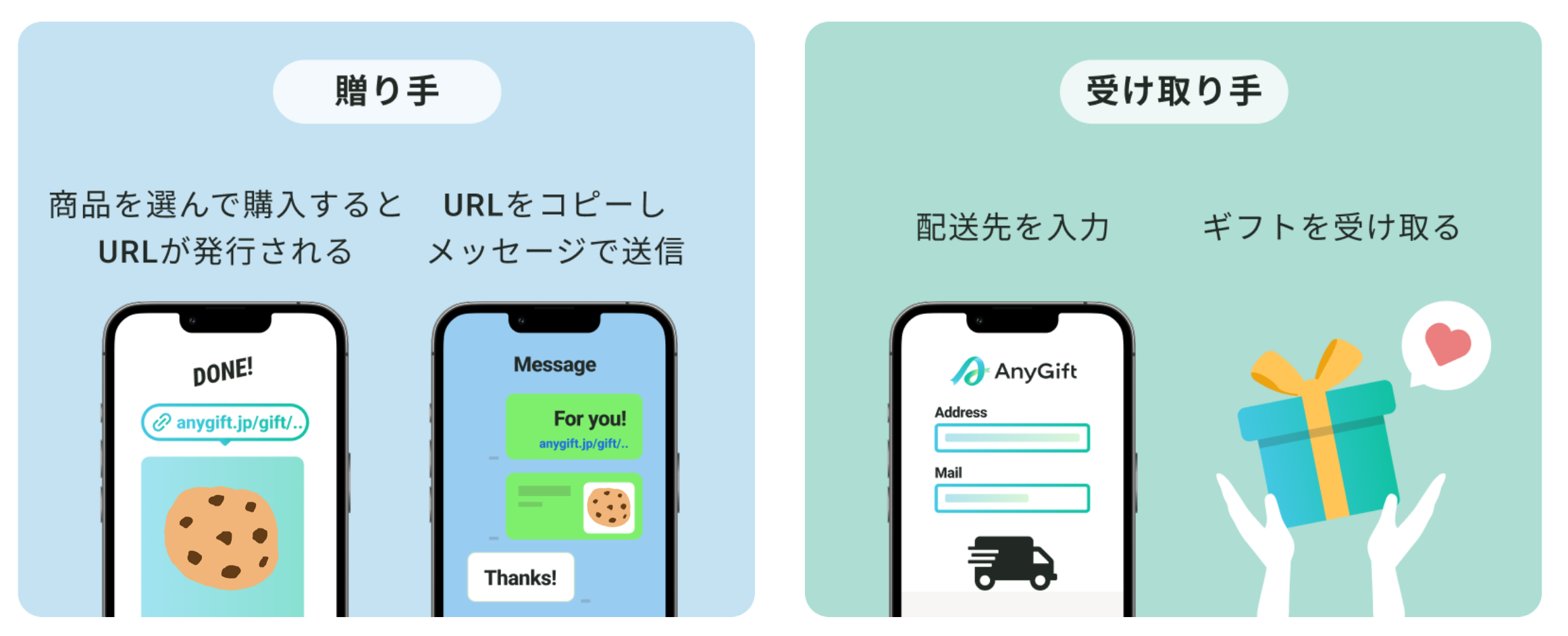
How to send an eGift
How to Send an eGift
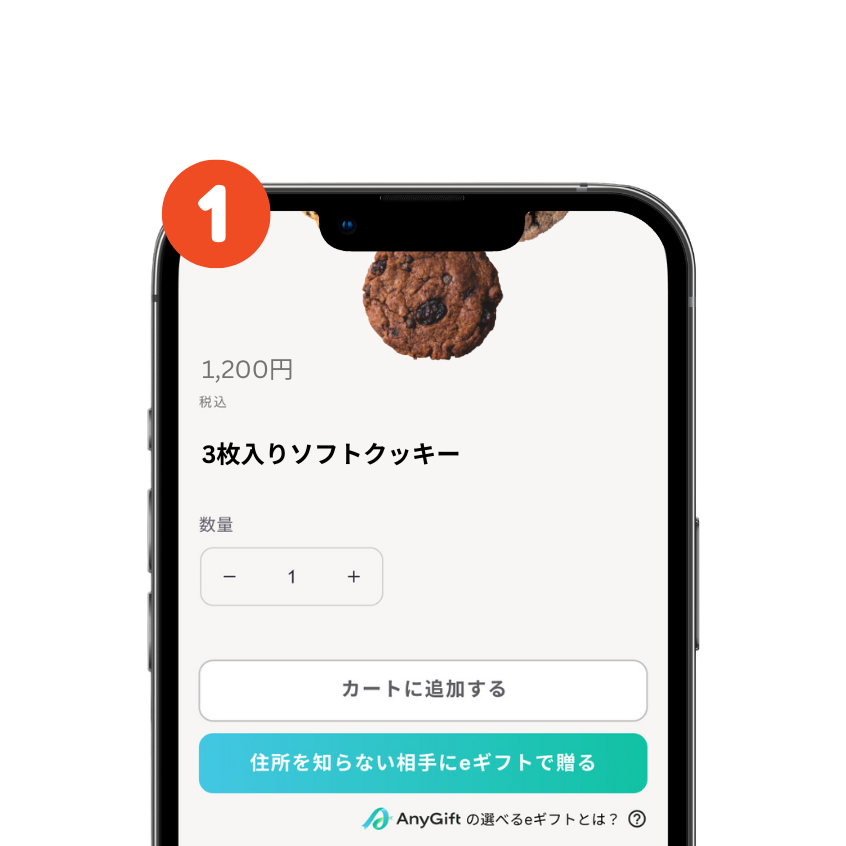
Select "Send an e-gift"
On the e-gift product page, select "Send as an e-gift."
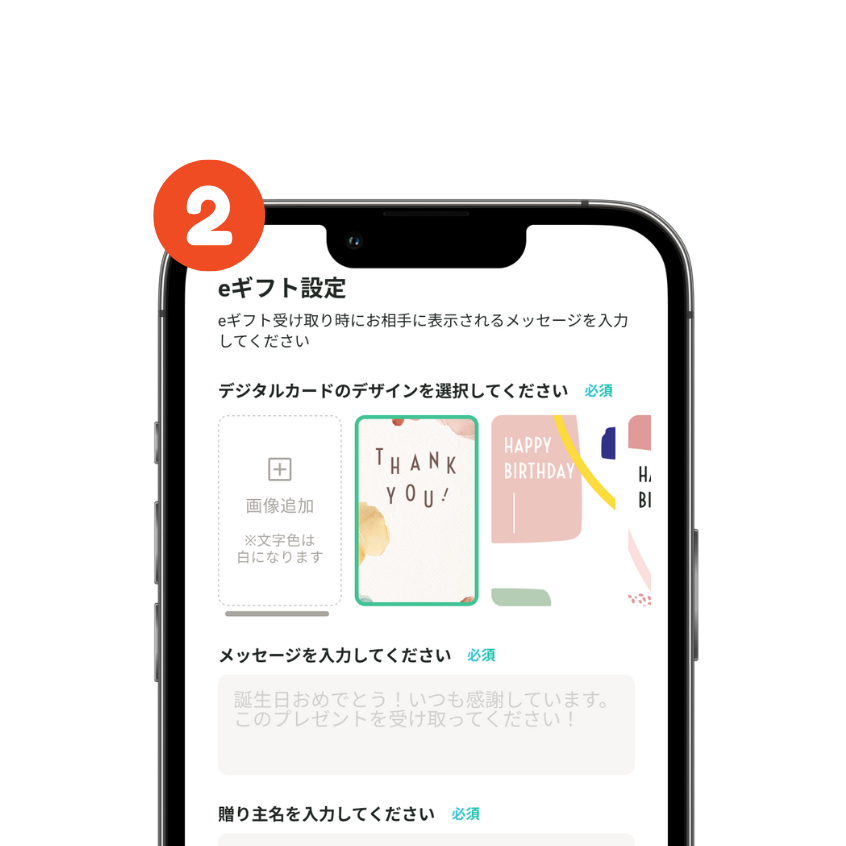
Create a message card
Enter a message and the sender's name to create a gift card.
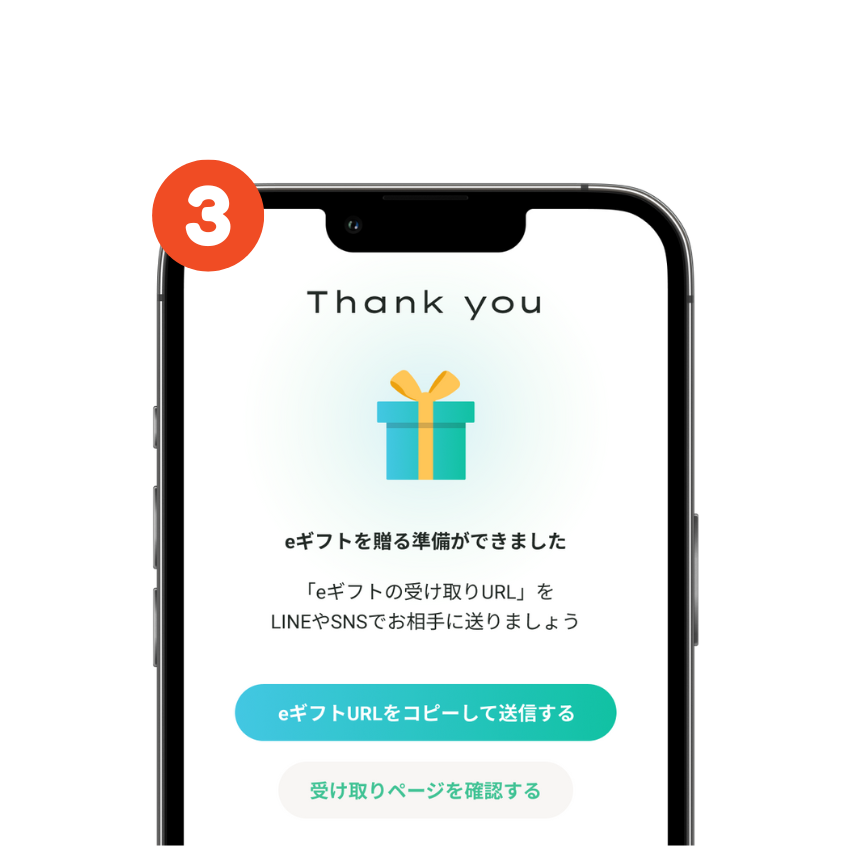
Send via social media or email
Once your purchase is complete, an e-gift delivery URL will be issued. On the completion screen, you can copy the URL or view the delivery page.
How to receive an eGift
How to Receive an E-Gift
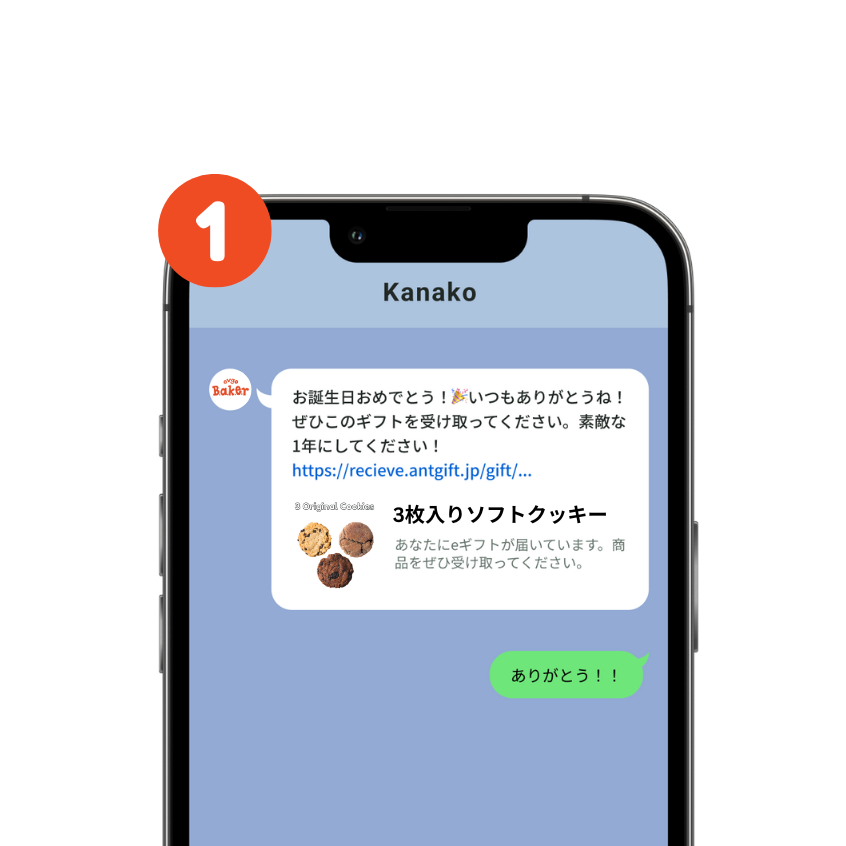
Receive an e-gift URL
Tap the URL you received to display the acceptance screen. Tap "Receive e-gift" to proceed to enter the recipient information.
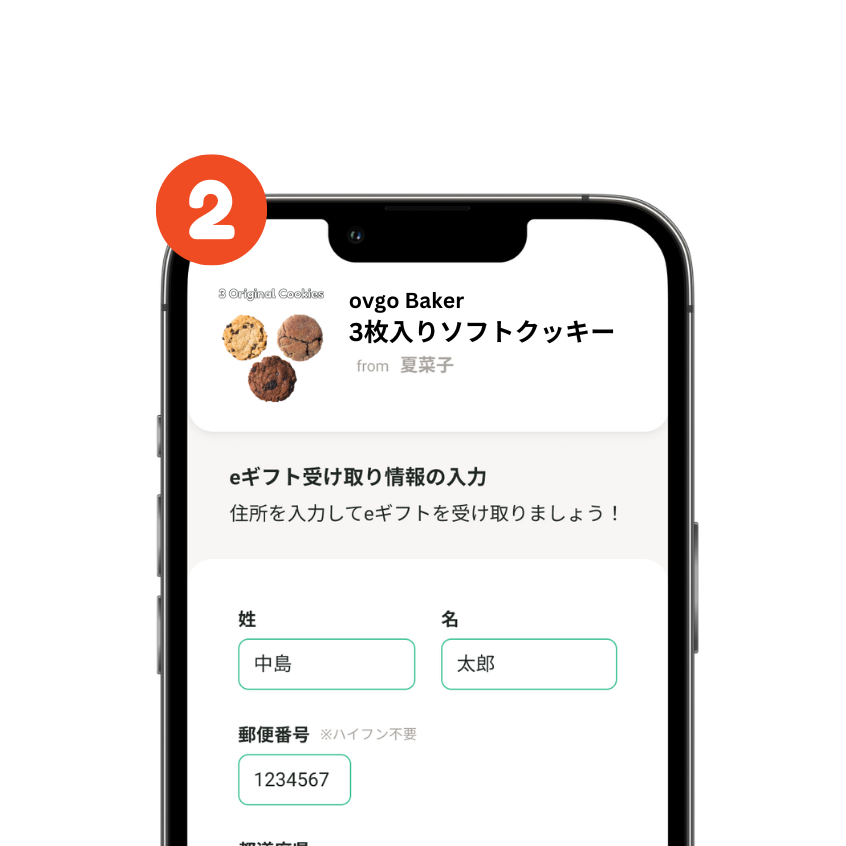
Enter the delivery address
Please enter the recipient's information.
*The information you enter will not be visible to the sender.
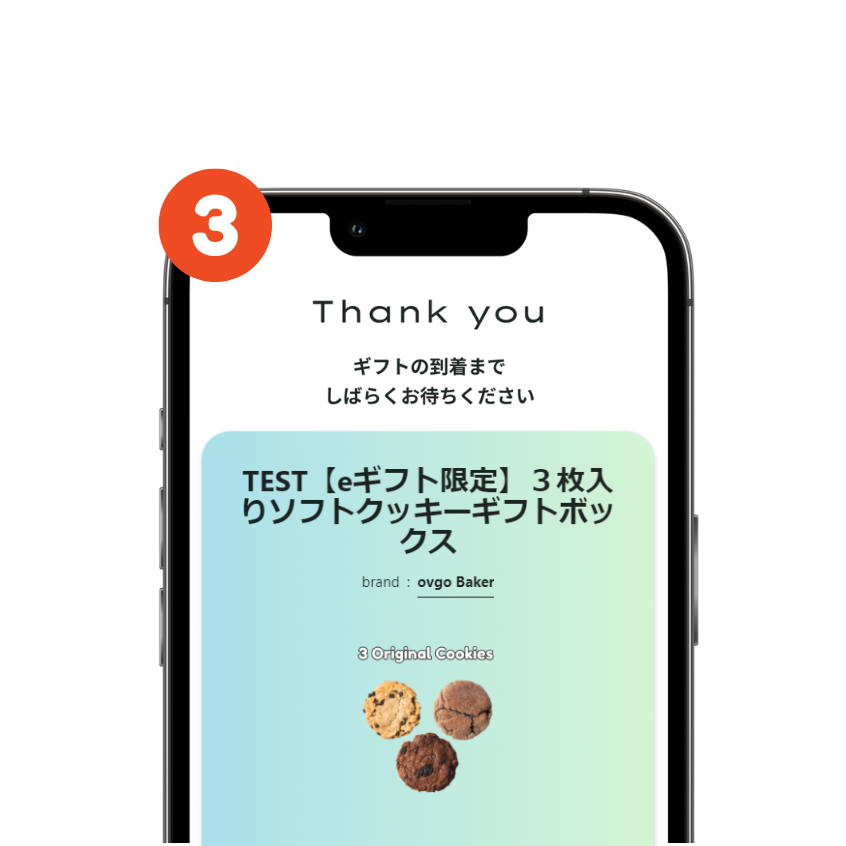
Receive Gift
The e-gift will be delivered to the address you entered.
FAQ
Frequently Asked Questions
The e-gift will expire at 23:59 five days after the date of purchase.
By then, please not only send the recipient URL but also ask the recipient to enter their address using that URL.
※Please note that if the gift expires, the product will be shipped to the purchaser, and the order itself will not be canceled.
If the recipient has not yet entered their address using the delivery URL, you can send that URL to someone else as a gift.
If the address has already been entered, it cannot be changed.
We do not currently support users living overseas.
Yes, it is possible. You can set it up at the time of purchase.
The recipient will not be able to see the "buyer's name or address".
At the same time, the buyer will not be able to see the "recipient's name or address".
eGift Products